AI built for work
Turn data into insights in the apps you already know with Microsoft 365 Copilot.
Microsoft 365 Copilot, powered by Work IQ
Work IQ is a workplace intelligence layer that helps Copilot and agents know you, your job and your company—connecting data, context and tools to deliver intelligence built just for you and the flow of your work.
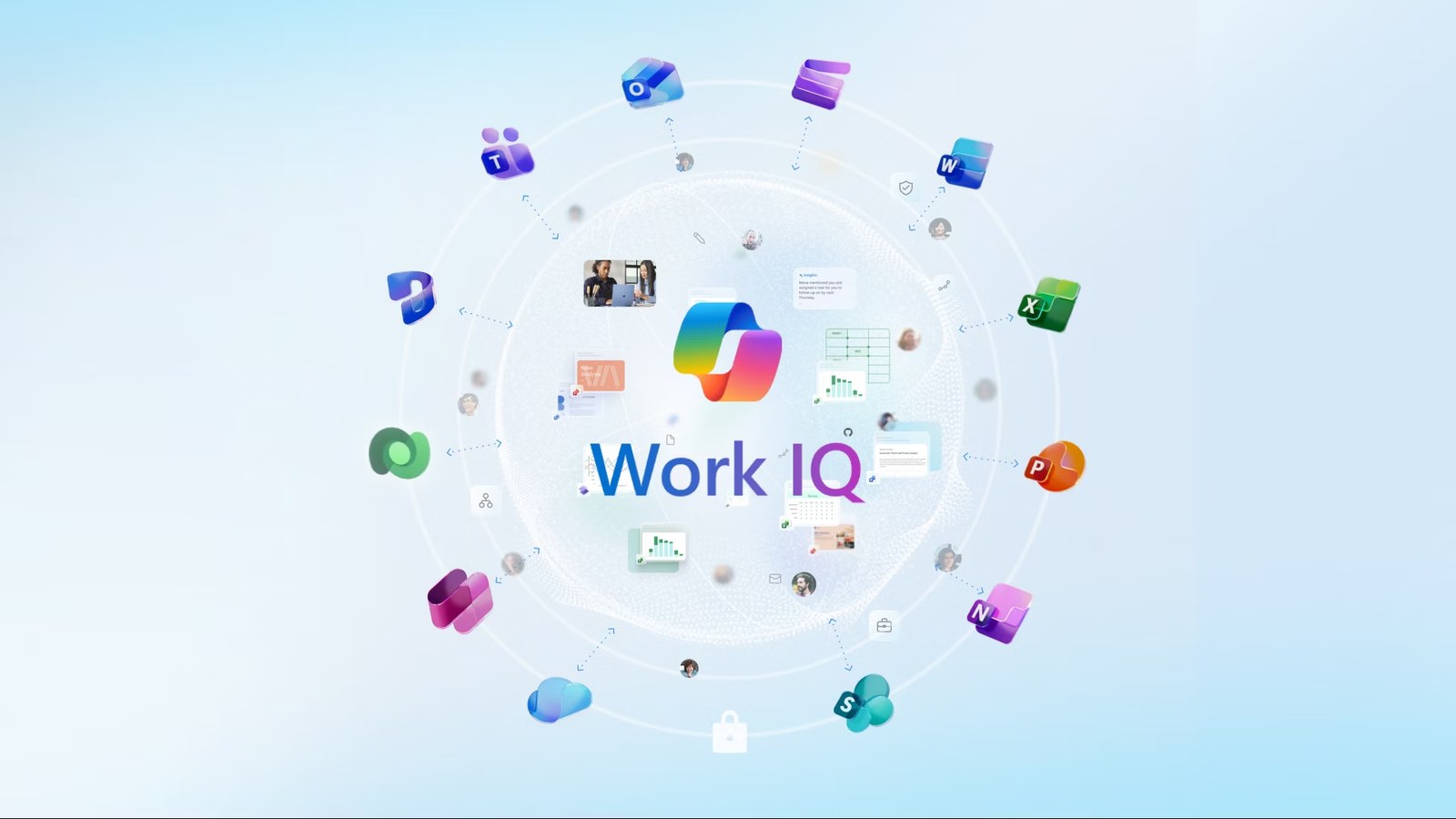
What is Work IQ and how does it reason over your work?
Ordinary AI chat starts cold. It answers from the model plus whatever you paste into it. Work IQ starts from your tenant, so Copilot already has the mail, the chats, the meetings, the files and the calendar sitting behind the question you just asked.
That is the gap between retrieval and reasoning. Search finds a file. Work IQ assembles the context around it first, then reasons over the whole set.
How Microsoft states it
Work IQ is a workplace intelligence layer that delivers a semantic understanding of everything happening across your business. Work IQ reasons over information across your entire workplace, from Microsoft 365 content like emails, chats, meetings, and files to data from connected business systems and line-of-business applications. It continuously structures these into agent-ready intelligence, giving any agent grounded, permission-aware context to act on.
What the layer is built to do
| Intelligence | Continuously builds and structures high-quality context across your entire data estate |
|---|---|
| Speed | Agent-optimized retrieval that enables fewer round trips to the service and lower latency access to rich context |
| Efficiency | Handles retrieval, context assembly, and reasoning in a unified runtime rather than with iterative, token-intensive reassembly |
| Scale | Designed for high volume agent reasoning and tool-calling to operate at the scale of agentic workloads, not humans |
Four of Microsoft’s five platform capabilities for Work IQ. Governance is the fifth. It gets its own answer below.
The three layers underneath it
Worth a look if you are trying to work out which part of this is actually new. Data and Inference have rough equivalents in tools you already run. Memory does not.
| Data | It unifies signals from files, emails, meetings, chats, and business systems |
|---|---|
| Memory | It builds persistent understanding of how people and teams work |
| Inference | It combines models, skills, and tools to reason and act |
Microsoft’s own three-layer split, from its Work IQ Customer Zero guide.
The Efficiency row is the one that separates this from enterprise search. Microsoft’s line for the Copilot Chat surface says the same thing from the user side: understands prior interactions, preferences, and organizational signals to deliver more relevant answers. Work IQ is one layer of a bigger stack. Microsoft AI maps the rest of it.
How does Work IQ handle permissions, privacy and sensitivity labels?
It does not get a rulebook of its own. Whatever your tenant already enforces is what Copilot can see, so switching Copilot on is not a re-permissioning project first.
How Microsoft states it
Work IQ applies your existing enterprise security, privacy, and governance by design. Every response is permission-trimmed and bound by your identity, sensitivity, and compliance policies, so the context flowing into any agent stays within the boundaries your business already trusts, no custom enforcement required.
Permission-trimmed is the operative word. A user who cannot open a file today does not get it back through Copilot tomorrow. The privacy side of it, plus the admin controls, sit in Secure by design further down this page.
Can Work IQ reach data outside Microsoft 365?
Yes. Dataverse, line-of-business systems, SaaS, external sources. The part worth reading twice is that adding one is a configuration change rather than a rebuild.
How Microsoft states it
Work IQ reaches beyond Microsoft 365 into Dataverse, line-of-business systems, SaaS, and external sources. Adding a new source is a matter of policy and configuration, not redeployment, so developers expand what their agents know without rewriting tools, reprovisioning permissions, or breaking governance.
Connection happens over A2A, MCP or REST, which puts it on the developer side of the fence rather than the admin side. The Work IQ developer documentation and MCP servers detail sits on our AI agents page.
Chat, Cowork, Search, Agents, Notebooks, and Create
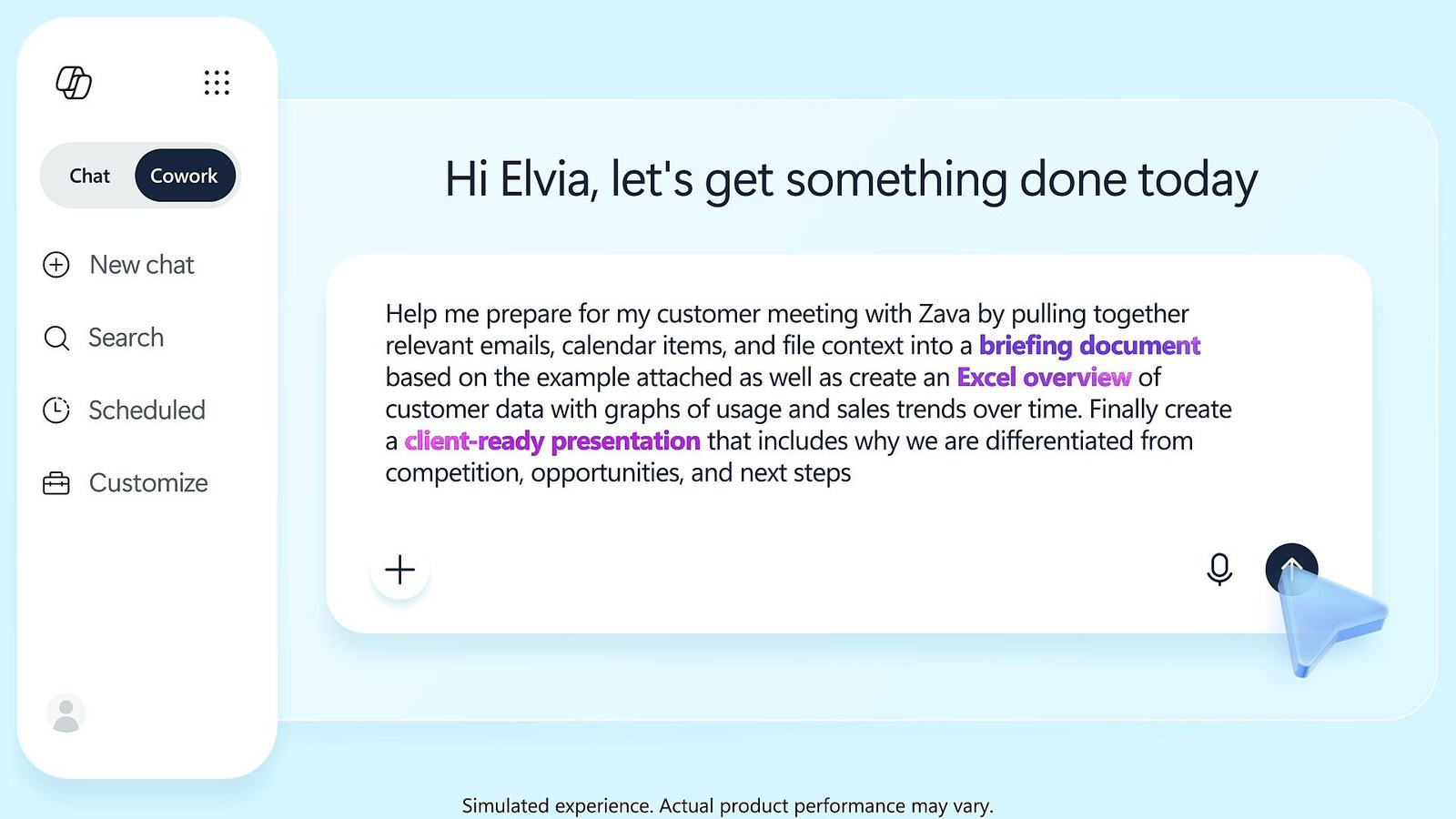
Get answers, draft content, and surface insights in seconds with secure AI chat from Microsoft 365 Copilot. Powered by Work IQ across your Microsoft apps—so every conversation keeps work flowing.
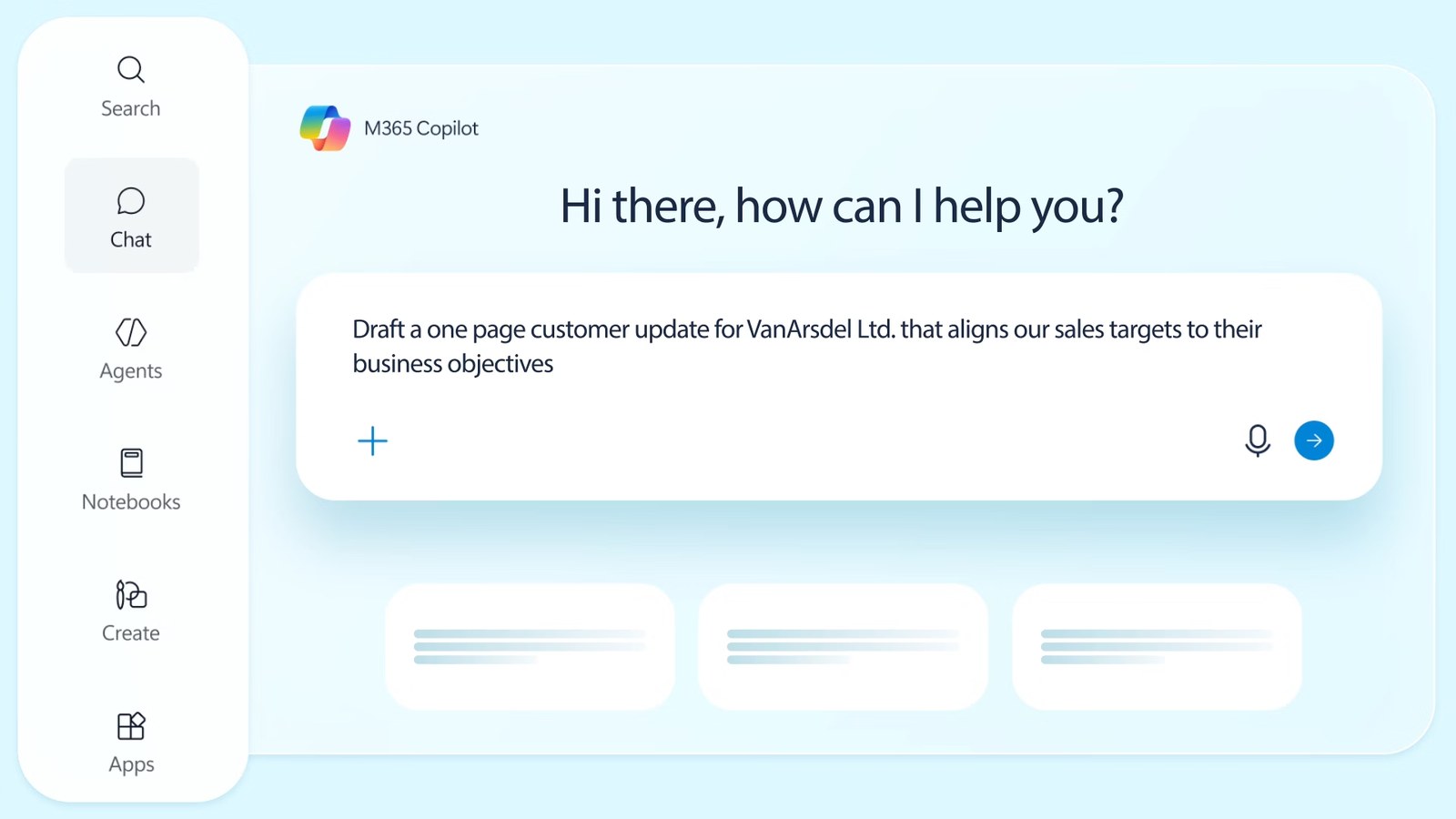
Securely hand off complex tasks and keep multiple projects moving at once with Microsoft 365 Copilot Cowork. Grounded in your work context, powered by the best model per task, connected to your daily apps.
Describe what you’re looking for—as a question, phrase, or command—and find it fast with AI-powered enterprise search. With Work IQ, it goes beyond keywords to surface the right results from your work content and apps.
Bring together your Copilot chats, files, meeting notes, and project materials—then build on it. Copilot Notebooks helps you organize and analyze your content, and even create something new from it. You can also get AI-generated podcast-style summaries of your content to help you quickly catch up.
Quickly turn your ideas into designed content, videos, podcasts, or surveys—or edit what you already have. Get started easily with a prompt, a template, or your company brand kit.
Add agents to Copilot that automate common tasks or work on your behalf. Ready-to-use agents—from Microsoft and trusted partners—are available in the Agent Store. Agents tap into Work IQ and are tuned for your unique workflows and business needs.
Create or customize agents for specific tasks or workflows with Copilot Studio. You can start from a template or build from scratch using natural language.
What changed for Copilot inside Word, Notebooks and PDFs?
Three changes from the 2026 release notes that people notice day to day. Copilot edits a Word document in place. It maps a notebook visually. It opens a PDF without pushing you into another tab.
| Copilot edits Word by default | June 2, 2026 · Web |
|---|---|
| Mind maps in Copilot Notebooks | July 1, 2026 · Windows, Web |
| PDFs open inside Copilot Chat | May 19, 2026 · Windows, Mac, Web |
Dates are the release-note publication dates. Platform tags are Microsoft’s own, so a feature tagged Web is not on the desktop app yet.
Copilot can edit your document by default in Word
Copilot is now able to edit documents by default in Word. This means Copilot can make direct edits to the document without requiring users to toggle editing on. Users can still turn this experience off if they prefer. All Copilot-made changes remain trackable and reversible.
The reversible part is what makes this safe to leave on. Anyone nervous about it can switch the behavior off per user.
Mind maps in Copilot Notebooks
Mind maps in Copilot Notebooks are interactive visual artifacts that help users understand notebook content through a grounded map of key topics, themes, and relationships. Users can explore the mind map, view summaries for individual nodes, and use Notebook chat to get more detail about a node. Available across OneNote and Microsoft 365 Copilot app.
You ask for one. Quick create in the left pane, then Mind map. Nothing generates it behind your back.
Open PDFs within Microsoft 365 Copilot Chat
When you click a PDF while using Microsoft 365 Copilot Chat, the file now opens directly within the Copilot experience. Previously, PDFs opened in a separate viewer or browser tab. This update keeps your workflow in one place and makes it easier to ask Microsoft 365 Copilot Chat questions about the document.
Microsoft’s suggested uses for it are summarizing the document, pulling out key points, extracting action items. The surface is the chat one, which Copilot Chat covers on its own page.
Can we choose which model Copilot uses?
Yes. It is two controls rather than one. People pick a model per prompt from the selector in chat. IT decides which providers show up in that selector at all.
The user side: depth against speed
Users can pick Quick Response for immediate answers or Think Deeper for more thorough reasoning.
That is the whole trade. Think Deeper costs you seconds. Quick Response costs you reasoning. Nobody has to learn a model name to make the call.
| GPT-5.2 | January 27, 2026 |
|---|---|
| GPT-5.5 Instant | May 19, 2026 |
| GPT 5.5 Thinking | May 19, 2026 |
| Anthropic’s Claude | June 16, 2026 |
Models Microsoft named for the Copilot Chat selector during 2026, with the release-note date each was announced. The list moves fast. Treat it as of those dates rather than as a spec.
The admin side: which providers exist
New admin controls allow organizations to enable Anthropic as a model provider or xAI model provider settings in the admin center. Note: xAI models are currently available in Microsoft Copilot Studio for US customers via admin opt-in.
Per user or per group, not tenant-wide only. That is the detail most licensing conversations get wrong, because it means a pilot group can have a provider the rest of the tenant does not.
What the model choice does not change is covered in Secure by design: prompts, inputs, and responses are never used to train the models. Which models your plan gets priority on sits in the compare table on Copilot plans and pricing.
Secure by design
Copilot is built on a comprehensive approach to enterprise-grade security and responsible AI—so you can move faster without compromising the safeguards your business depends on.
Prompts, inputs, and responses are never used to train the models.
Copilot inherits your Microsoft 365 permissions, sensitivity labels, and retention policies—so people only see what they’re meant to.
Stay confident in your AI security and oversight, with comprehensive IT tools to help manage Copilot and agents at scale.
How is Microsoft 365 Copilot different from Copilot Chat?
Grounding. Copilot Chat is web-grounded. Microsoft 365 Copilot is Work IQ grounded, which is why it answers from your inbox, your meetings and your files rather than the open web.
Microsoft 365 Copilot Chat
Microsoft 365 Copilot
The agent line is the other practical split. On Copilot Chat you access and use agents on a metered basis. On a Copilot license you create them as well, with Agent Builder or Copilot Studio. That is a billing decision as much as a capability one.
Get started with Microsoft 365 Copilot
Add Copilot to your Microsoft 365 plan, get both together if you’re new, or try Copilot Chat today.
Frequently asked questions
Work IQ enables deeper reasoning in pre-built agents such as Researcher, Analyst, or Facilitator. Agents can synthesize data across multiple sources, combining internal work data with external inputs. Microsoft’s framing for that band: generate decision-ready reports by synthesizing internal work data and external data.
Yes. Microsoft’s wording for the Microsoft 365 Apps surface: when you’re drafting content, Work IQ can pull from your latest files, conversations, and priorities. Draft content faster using your latest files, discussions, priorities, and context from the people you work with most.
Yes, in Agent Mode, since the July 1, 2026 release. Copilot in PowerPoint now uses Work IQ to automatically gather relevant files, meetings, and emails to help build presentations, while maintaining data security by accessing only authorized content. The same release added referencing a Teams meeting or chat as context when creating a presentation with Agent Mode in PowerPoint. Copilot features are introduced using a safe deployment model, gradually rolling out to a subset of users within a tenant before expanding across the organization.
Yes, since the June 2, 2026 release. Microsoft’s note: Copilot is now embedded in model-driven apps, enabling users to ask questions, complete tasks, and access context-aware insights. In practice that means summarizing a record or a workflow without leaving the app.
That is what the Work IQ API is for. Miro built on it. Jeff Chow, Chief Product & Technology Officer at Miro: Miro’s integration with the Work IQ API removes the siloes that block teamwork. Whether your own vendors have done the same is a question for them. The build side is covered on our AI agents page.
Declarative agents do, since the February 24, 2026 release. Microsoft’s note: Declarative agents now run on GPT-5.1 using “auto” architecture, which selects the best model (fast or reasoning-optimized) based on the user’s prompt. This improves speed and quality. Note that as the agent uses the “Think deeper” mode to generate higher quality responses, users will experience a slightly higher latency. So the agent makes the same depth-against-speed call a person makes in the selector. It pays the same latency for it.
Yes, in declarative agents, since the April 7, 2026 release. Microsoft’s note: Declarative Agents can now interpret and ground responses using embedded images in Word, PowerPoint, and PDF files. This enhancement enables Copilot to extract insights from charts, diagrams, and screenshots, improving the accuracy and completeness of answers. Supported file types are .docx, .pptx and .pdf. Microsoft tagged the release Windows.
Two were named in 2026. MAI-Image-2-Efficient, July 1, 2026: Copilot in PowerPoint now includes the MAI-Image-2-Efficient model for image generation. This model is optimized for speed and efficiency, allowing users to rapidly iterate on visual ideas, create real-time slide content, and update visuals across presentations more easily than before. Black Forest Lab’s FLUX.2 Flex, June 16, 2026, tagged Web: Users can now select FLUX.2 Flex when generating images in PowerPoint. The model produces higher-quality visual output with improved text and layout rendering. Image generation has its own model choice, separate from the chat selector.
What we do alongside the licence
SoftSolutionWorks.com is backed by BlueAlly, an authorized Microsoft reseller. As well as supplying the licences, we can help you choose the plan, deploy it, and finance it.